Reclaim your Mac's space.
Shodhana finds the caches, build artifacts, and leftovers of long-deleted apps eating your disk — tells you exactly why each one is safe to remove — and cleans only what you approve.
macOS 14+ · Apple Silicon · 14-day trial, no signup
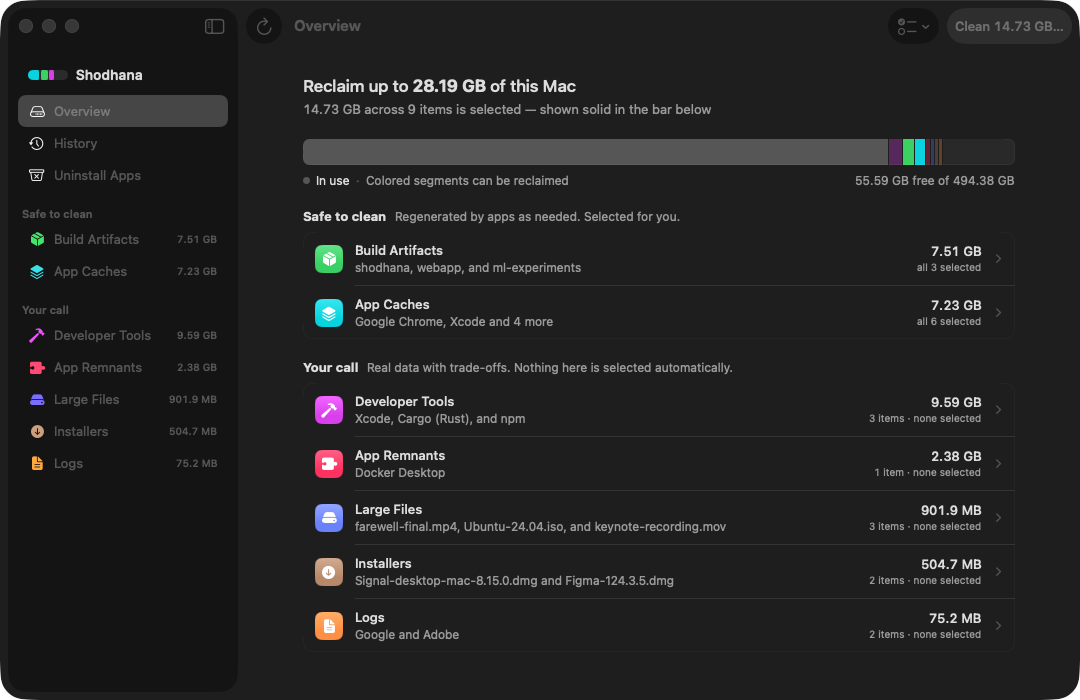
What it does
Structure you can trust, not a magic button.
Every item is attributed to the app, tool, or project that owns it, sized, dated, and grouped by how much thought it deserves.
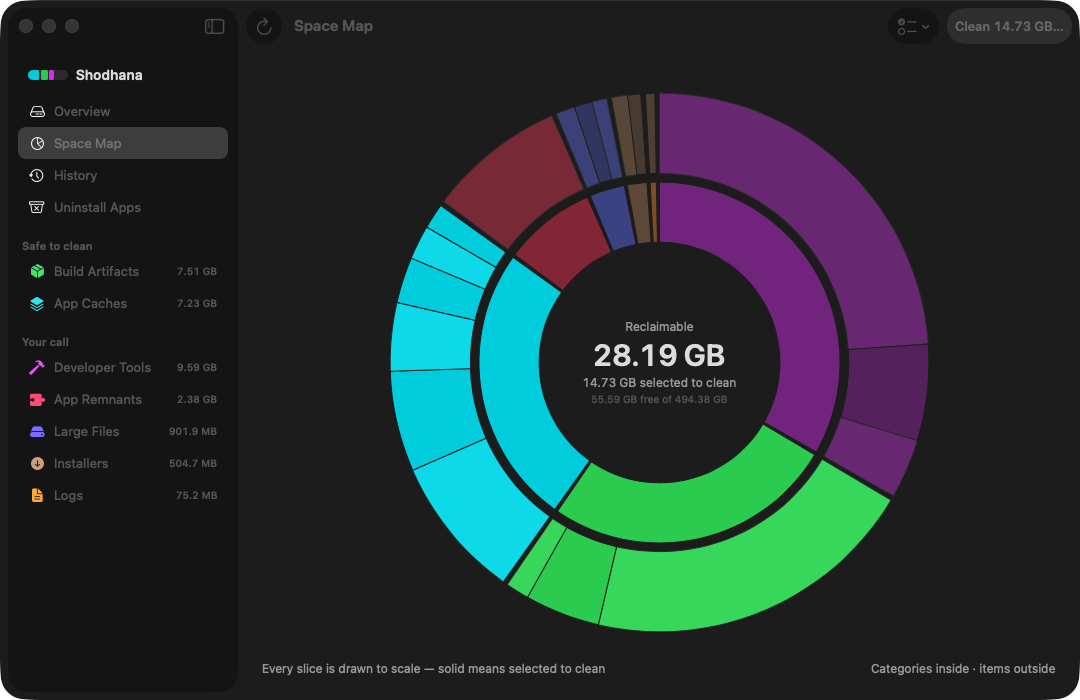
A map of every gigabyte
The space map draws your reclaimable space to scale — categories on the inner ring, the actual folders and caches on the outer. Solid slices are selected to clean; pale ones stay untouched. Click any slice to select it or open it.
See where the space went
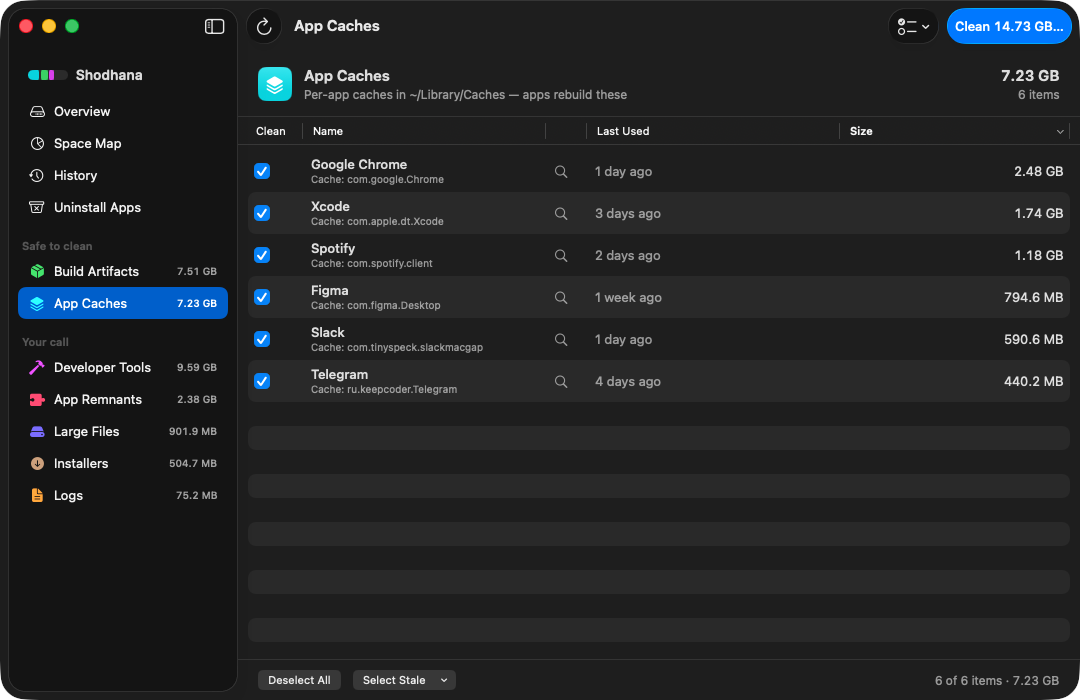
Not "junk found" — real names: Google Chrome's 2.5 GB cache, Xcode's build data, the cache Docker left behind when you deleted it. Every item is attributed, sized, and dated by last use.
Evidence before deletion
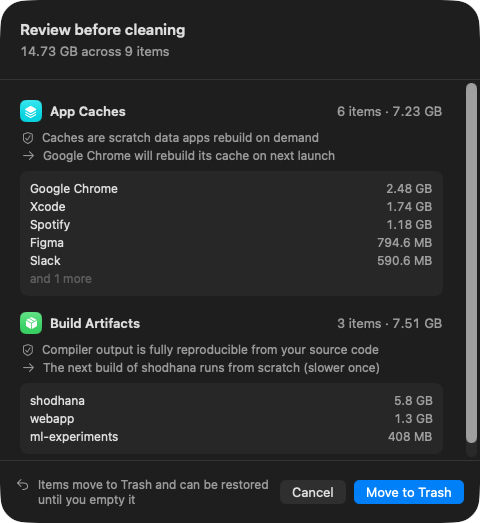
Each item states why it's safe and what changes afterwards — "compiler output is fully reproducible from your source code; the next build runs from scratch." Risky things — browser data, your own files — are never selected for you.
Uninstall apps completely
Pick an app and see everything it owns — support files, caches, preferences, launch agents — and remove it all in one reviewed action.
Everything goes to the Trash
Cleaned items are recoverable until you empty it, and every clean is journaled in History. You can always answer "what did it delete?"
Quiet by design
A menu bar glance shows what's reclaimable. Scheduled scans only look — nothing is ever cleaned without you.
Nothing leaves your Mac
No account, no telemetry, no uploads. The scan engine is open about what it reads, and licenses verify offline.
For developers
The only cleaner that understands your projects.
Shodhana finds build artifacts per project — node_modules, Cargo targets, virtualenvs, DerivedData — verified against their manifests so a folder that merely shares a name is never touched. Then it tells you which ones you haven't built in months.
Pricing
Pay once. Own it.
- Use on 2 Macs
- 14-day free trial first — no signup
- Free updates
- Scanning stays free forever, even unlicensed
Requires an Apple Silicon Mac (M1 or later) on macOS 14+ — Intel Macs are not supported. Payments handled by Dodo Payments (merchant of record). Prices include applicable taxes. 14-day money-back guarantee — see refund policy.
FAQ
Fair questions.
Why does it ask for Full Disk Access?
To measure caches and leftovers across your disk, macOS requires either one Full Disk Access grant or a separate permission dialog for every folder. Shodhana asks once, explains why, and works in a reduced mode if you decline — it never uploads anything anywhere.
Can it delete something important?
The engine refuses to touch system-critical paths, profile data like bookmarks and passwords, and anything on your personal whitelist. Everything else is shown to you with evidence before removal, and deletions go to the Trash so there's always an undo.
What happens when the trial ends?
Scanning and insight keep working free, forever. Cleaning and uninstalling pause until you enter a license key.
How is this different from CleanMyMac?
Shodhana is a one-time purchase, not a subscription; shows evidence instead of a single "junk" number; understands developer projects (node_modules, Cargo targets, DerivedData) natively; and sends no data off your Mac.
What are the requirements?
macOS 14 Sonoma or later on an Apple Silicon Mac (M1 or later) — Intel Macs are not supported. Under 10 MB of disk space — the app is a native Swift interface over a Rust engine, not a bundled browser.
Refunds?
14 days, no questions. Email support@shodhana.app or use the payment receipt link. Details in the refund policy.